
Before You Begin
We need to update our lab environment to have access to a VA instance. In order to do this, we will need to apply a new step to our lab environment.
Note: This will update your current environment. Please make sure you are ready to begin this portion of the lab as this change is not reversible.
-
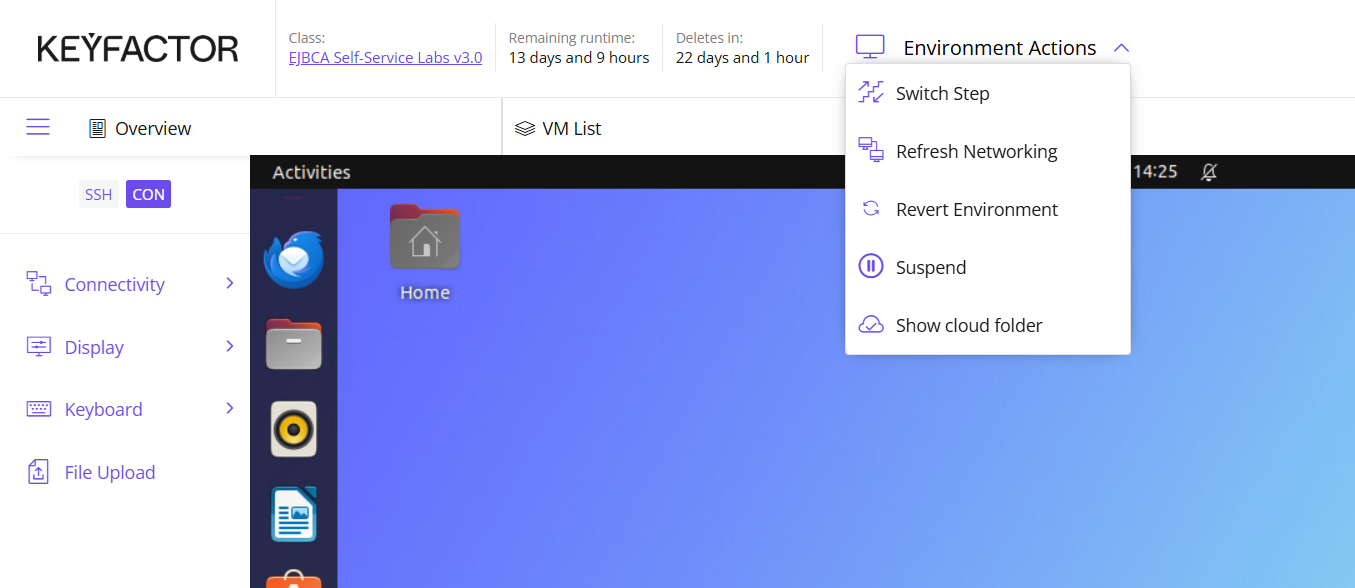
Click Environment Actions at the top of the screen and select Switch Step
-
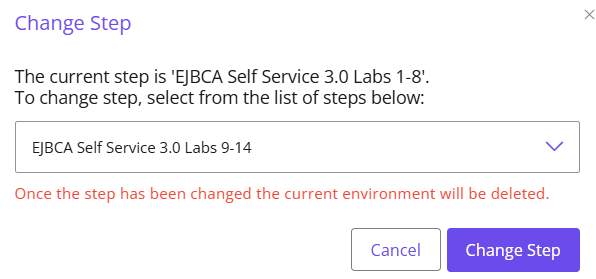
Choose the EJBCA Self Service 3.0 Labs 9-14 step from the drop down list box
-
Click Change Step
Introduction
A peer connector is used to securely communicate with another instance of EJBCA or SignServer. Couple of items to keep in mind when performing this lab:
-
The EJBCA "client instance" (our CA instance) will need to authenticate to the VA and
-
The EJBCA "server instance" (our VA instance) will authenticate to our CA instance. This creates the mutually authenticated mTLS connection. Once this connection is established, any information flowing between the two will be encrypted as well.
In this lab, we will configure a Validation Authority (VA) to act as our Online Certificate Status Protocol (OCSP) responder. This lab has multiple parts:
-
First create a certificate for the VA, that will be used to authenticate to the "client instance" (our CA instance). This has already been done for you.
-
A second instance of EJBCA will be introduced which will act as our VA and later be configured as an OCSP responder, in a subsequent module.
-
Create the authentication certificate from the CA that will be presented to the VA when authenticating.
-
Enable the Peer Connector on both sides (CA and VA), to establish a secure, mutually authenticated connection.
-
Configure the OCSP key binding, to create a dedicated "signing" key for OCSP responses; used in a subsequent module.
Slide Reference
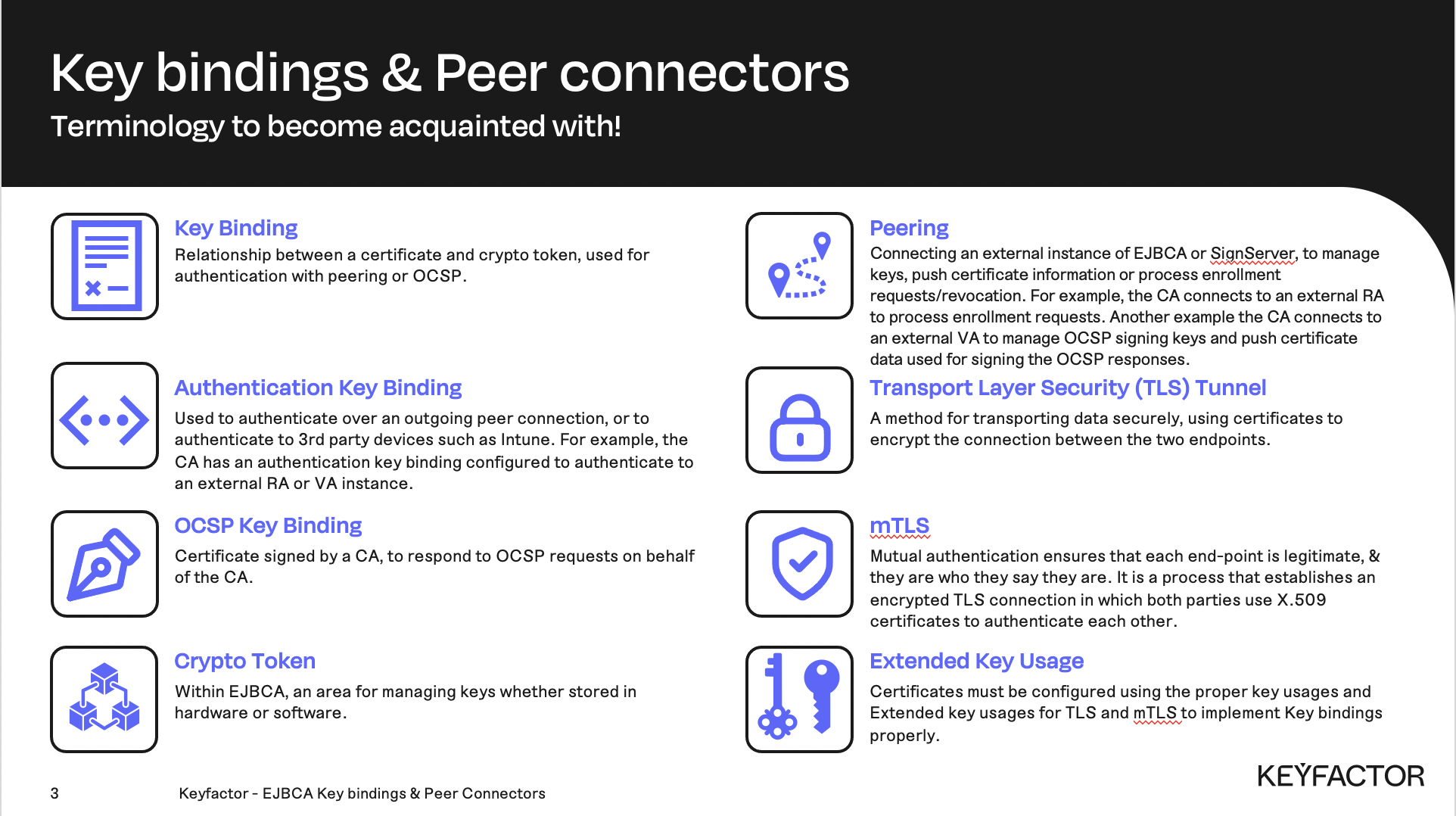
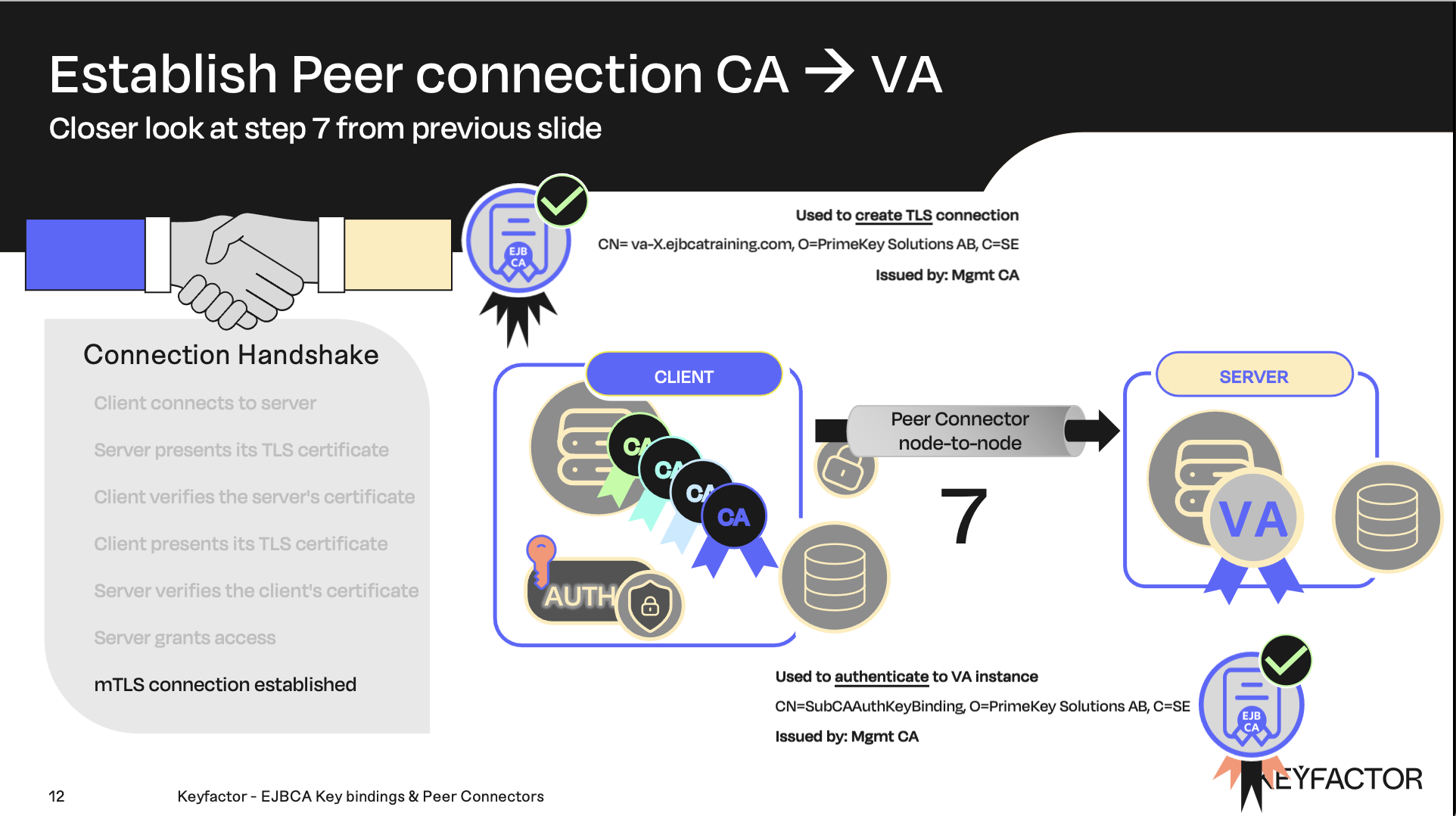
Authenticated and Encrypted tunnel between CA and VA using X.509 certificates