%20(500%20x%20162%20px)(1).png)
REST API
Introduction

Integration - REST API
Slide Deck: Integration
Overview: EJBCA has a REST API for certificate management. The scope of the API is limited in relation to the full set of features provided by EJBCA and provides functionality such as certificate request, enrollment, revocation and more. The URLs listed below will contact the REST alias (endpoint), and perform functions such as those listed here, and below. Copy the link(s) below into your browser to experience the capability of the REST API.
Slide Reference
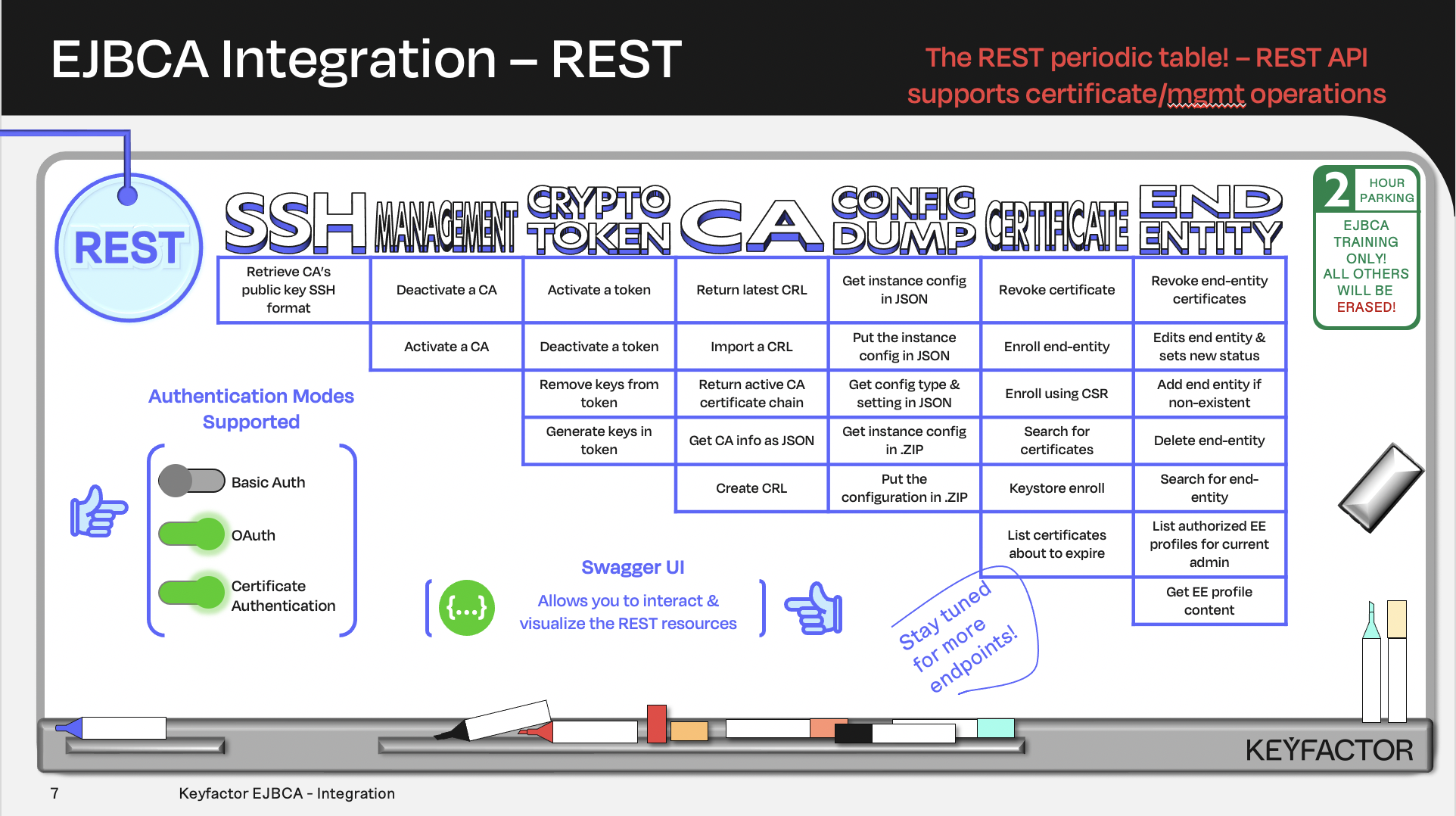
Certificate and CA operations availalble using REST API
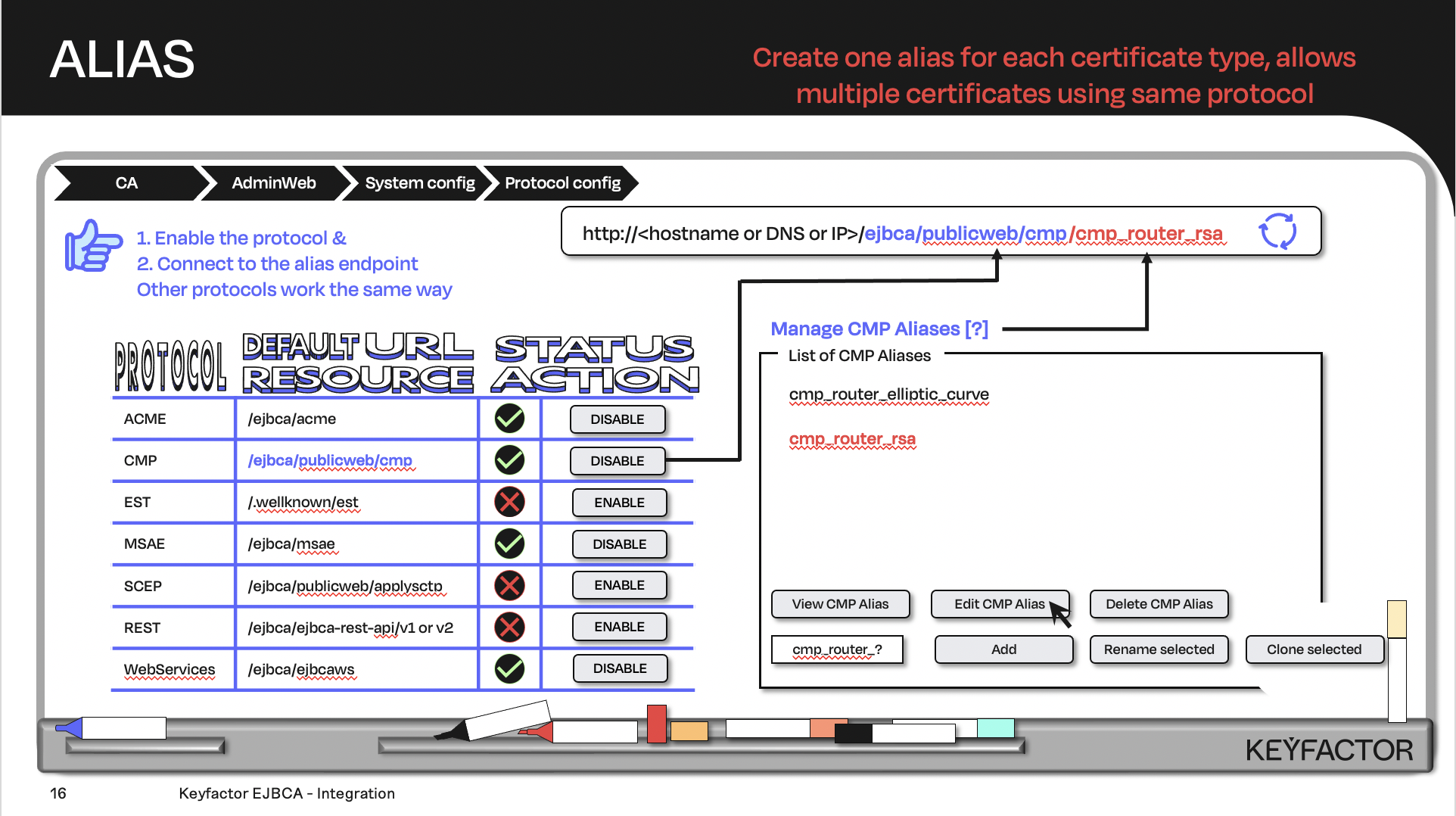
Create the URL with the default URL resource + the protocol alias; the client will contact the URL
The REST API uses client certificate authentication and requires that the certificate is added to an appropriate administrator role.
Enable REST Protocol
There are two versions of the REST API, these commands work with the V1 version, Ensure the REST Certificate Management protocol is enabled:
Open a browser and access your Admin Web Portal
Click System Configuration >> System Configuration
Click on the Protocol Configuration tab
Ensure that REST Certificate Management has status Enabled
Scroll to bottom of page and disable “Mandate Custom Header for REST endpoint” by removing the checkmark.
Click Save
Testing REST API
REST API GET resources can be tested by entering as a URL in a browser.
To test the REST API:
Open Firefox and copy the URL below into the address line. This will simulate different REST calls to EJBCA.
Open the following URL to show available CAs:
https://ca.keyfactor.training/ejbca/ejbca-rest-api/v1/caOpen the following URL to show the 10 first certificates about to expire in 1000 days:
https://ca.keyfactor.training/ejbca/ejbca-rest-api/v1/certificate/expire?days=1000&offset=0&maxNumberOfResults=10Open the following URL to download the CA certificate of Sub CA:
https://ca.keyfactor.training/ejbca/ejbca-rest-api/v1/ca/CN%3DSub%20CA%2CO%3DPrimeKey%20Solutions%20AB%2CC%3DSE/certificate/downloadOpen the following URL to access the latest CRL of Sub CA:
https://ca.keyfactor.training/ejbca/ejbca-rest-api/v1/ca/CN%3DSub%20CA%2CO%3DPrimeKey%20Solutions%20AB%2CC%3DSE/getLatestCrl?deltaCrl=false
? Question and Answers ?