%20(500%20x%20162%20px)(1).png)
Roles
Introduction

EJBCA Roles provides a way to divide up the work within the PKI. In this lab, five roles will be created with various levels of authority. There are a few steps required to accomplish this task. The first step is to create a certificate for a user. Secondly, create a role/group and assign permissions to the role. And finally add the user to the role/group.
We will start by adding a Training Superadmin user to the lab environment. This user will have all the privileges that the superadmin user currently has.
Next is the CA Administrator, this role can be limited to which CAs the role should have the ability to access.
The third role will create an RA Administrator who is further restricted, and has no access to data validators or Internal Key Binding functionality.
The forth role is the Supervisor Role, this role has limited ability, along with some reporting.
And finally the last role will consist of a Custom Role, that will use the Advanced mode. This mode can be used to customize the role by "cherry picking" permissions deemed necessary for the role.
Slide Reference
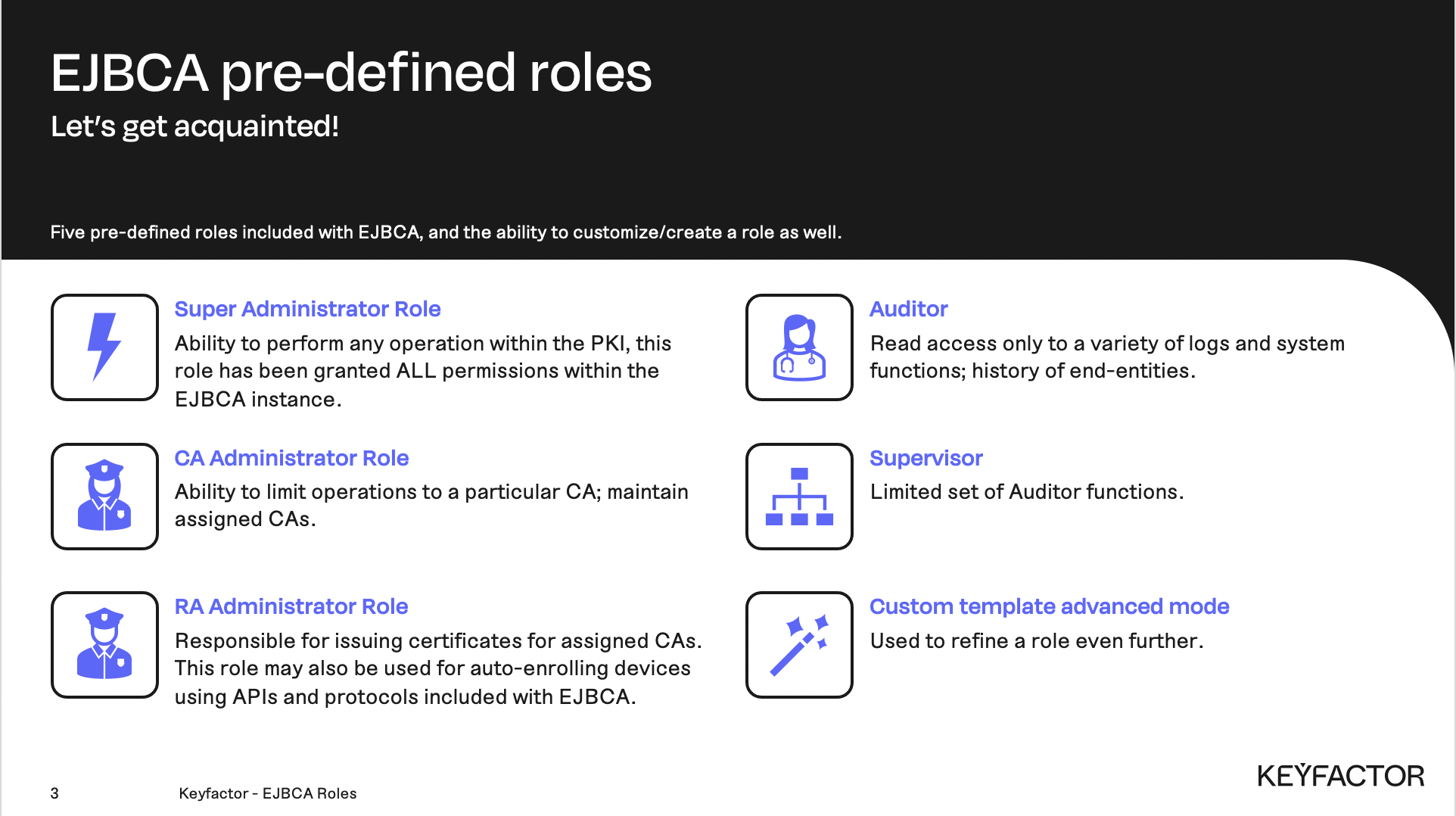
Roles Terminology
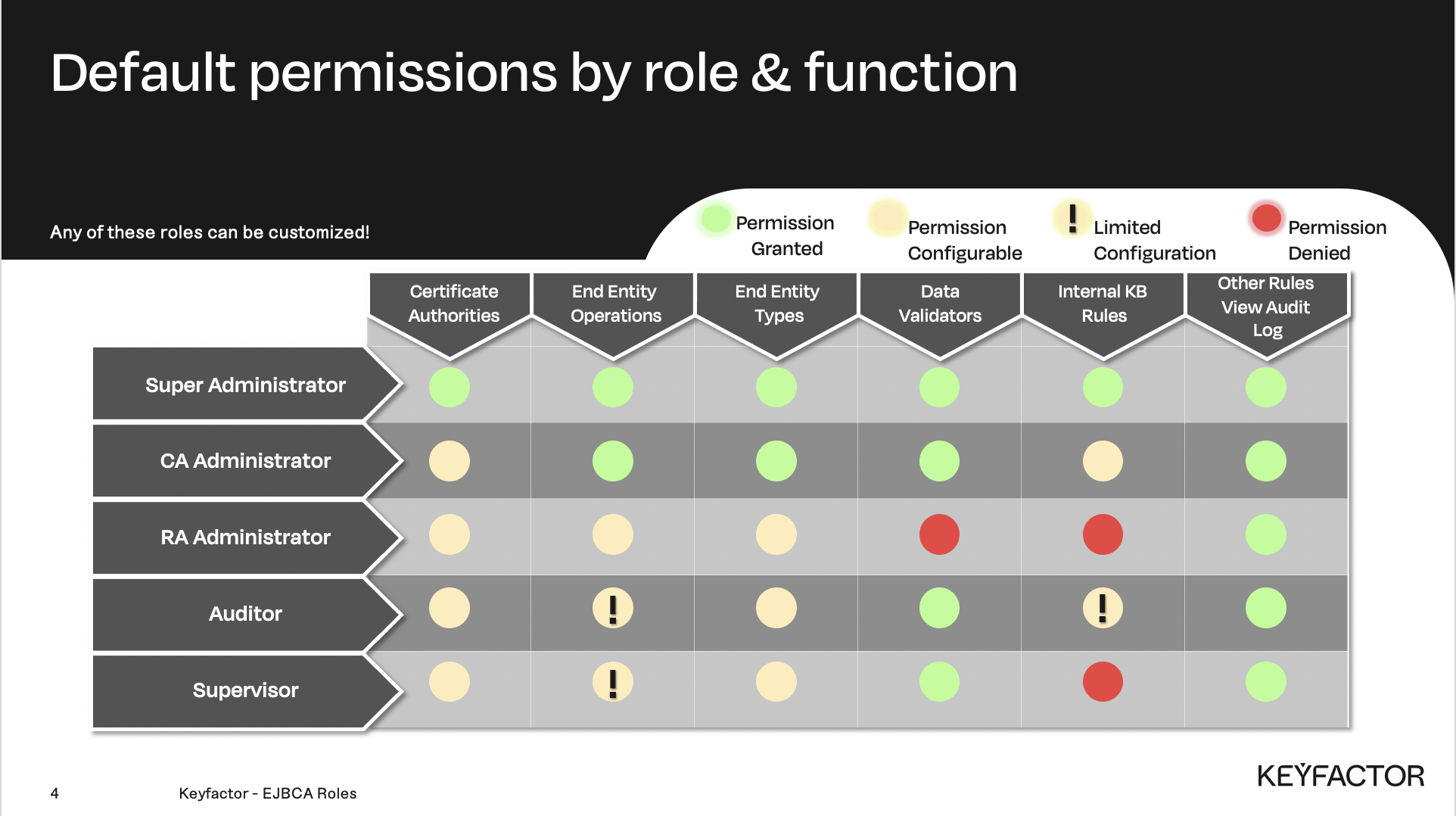
Permission matrix by role
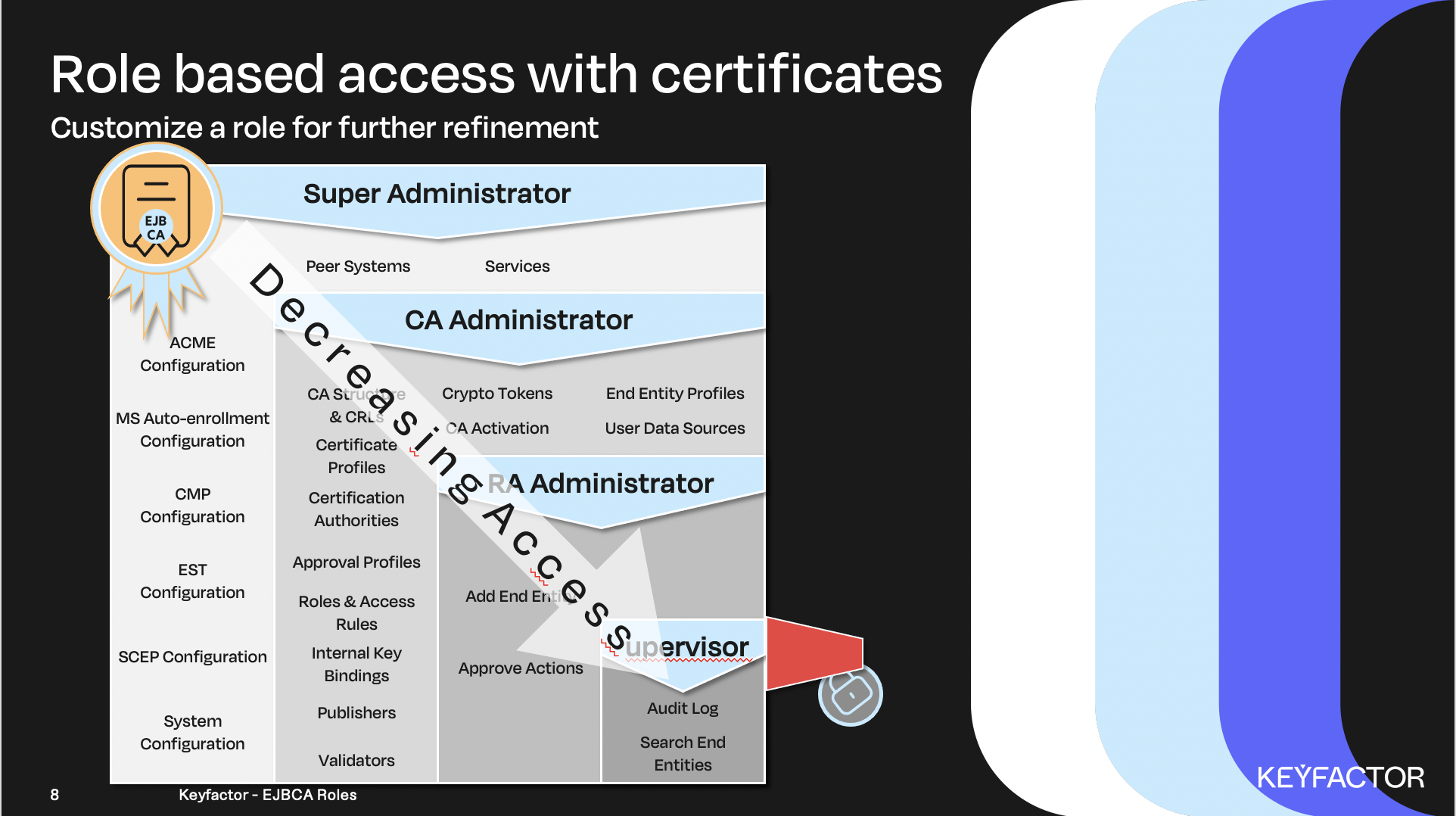
Permissions granted in Admin Web/RA Web