%20(500%20x%20162%20px)(1).png)
Multi Group Publisher
Introduction

EJBCA Publishers
Slide Deck: EJBCA Publishers
Overview: The multi group publisher simplifies administration when you have many publishers and CAs.
Simplify administration - The multi group publisher provides a single point of configuration for your publisher settings. Instead of enabling and disabling publishers for each individual certificate profile, you just need to add the publisher in one place, that is add it to the multi group publisher, and add the multi-group publisher to the desired certificate profile(s).
Load-sharing - The multi group publisher allows you to define different groups of publishers, and a certificate or CRL will only be published to one node in each group.
Slide reference
Used for very large number of publishers or used in a clustered environment
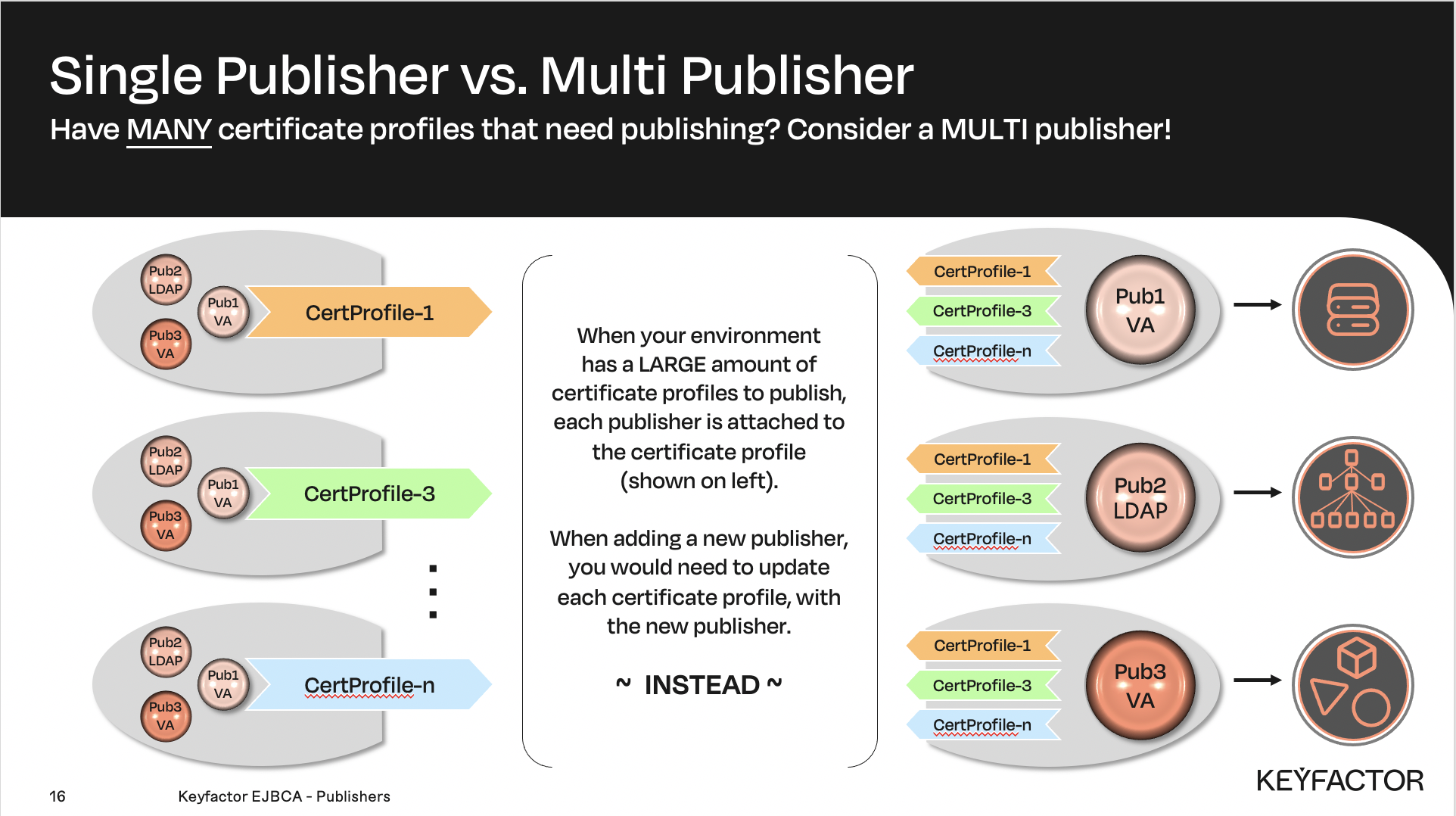
Each publisher is attached to a certificate profile
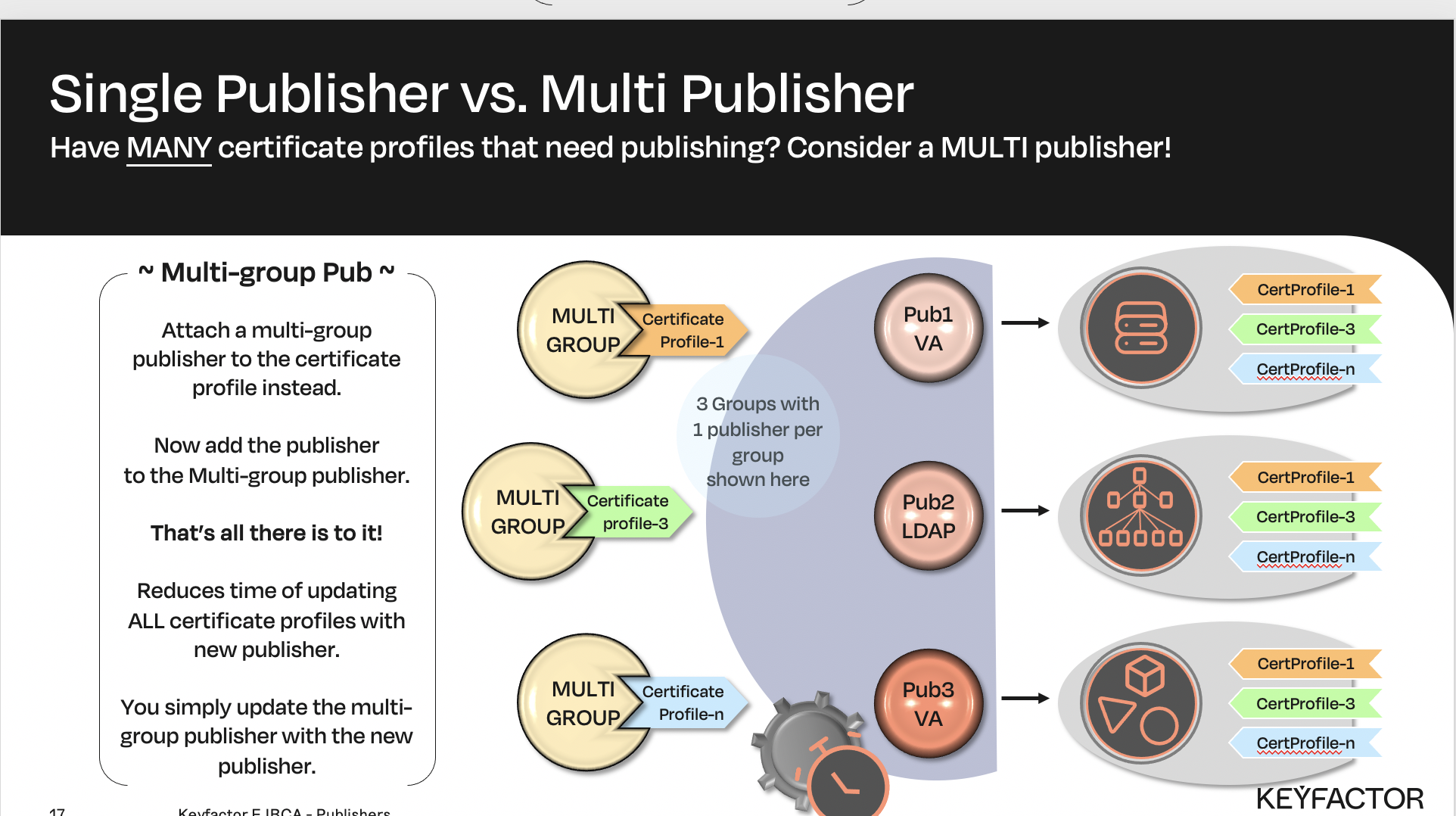
OR create a group, with all the publishers and attach MULTI-Group to certificate profile
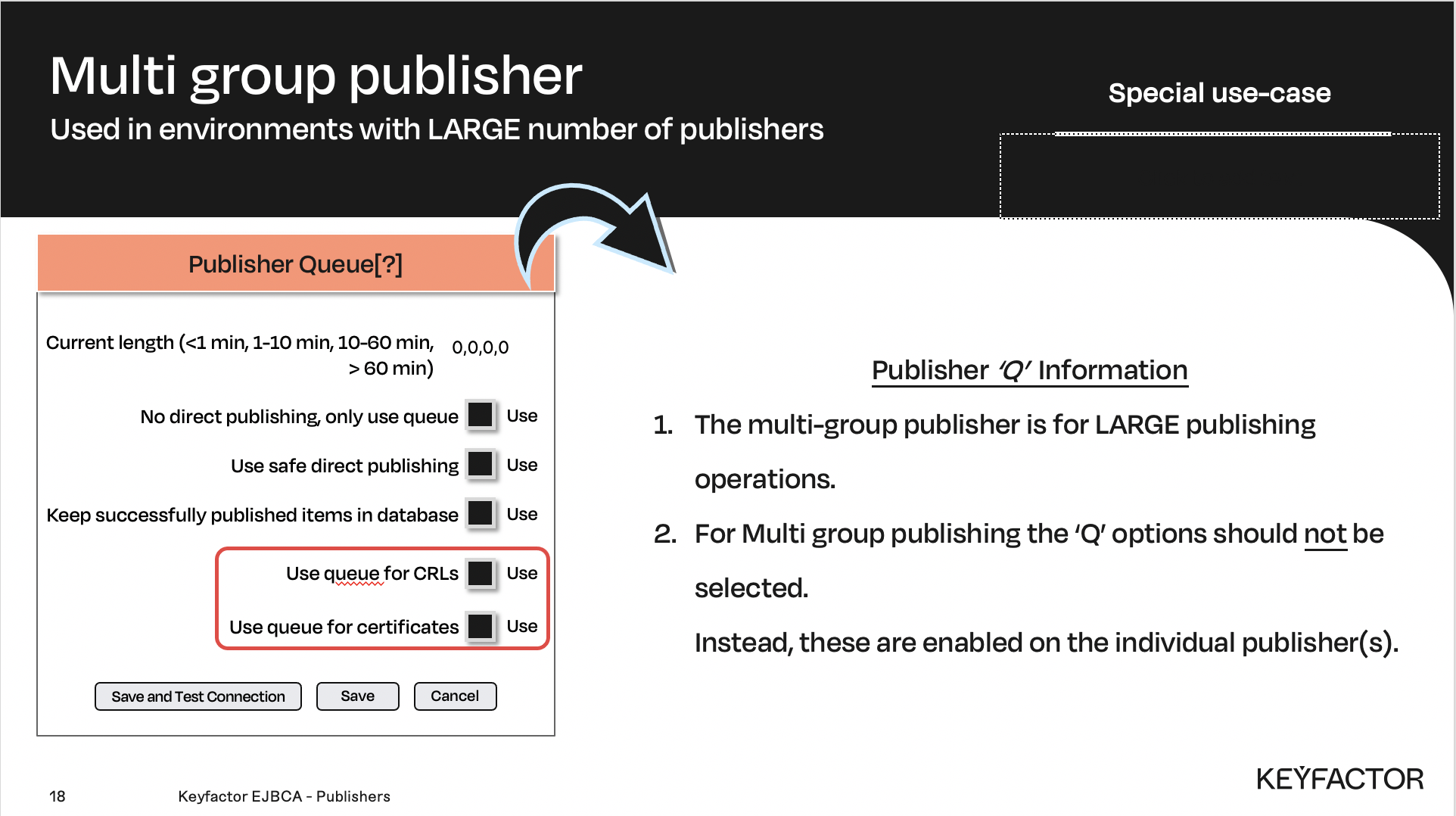
Publisher queue options - this section is common to ALL publishers
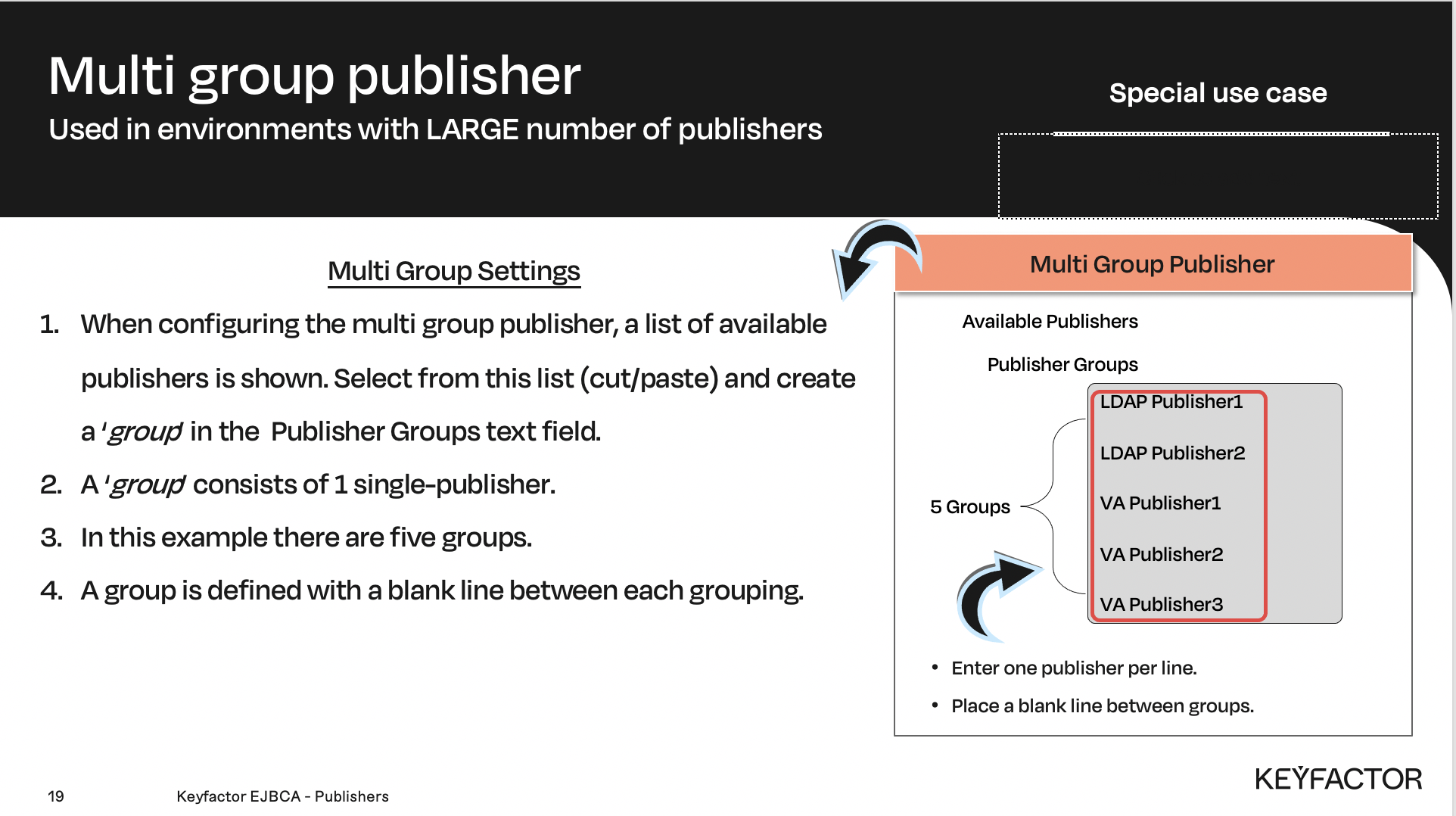
Multi group specific publisher settings
Example
In this example there are two sites, the primary site and the secondary site. Each site contains two OCSP responders clustered together at database level. We need to publish to both sites but only to one of the OCSP responders in each site.
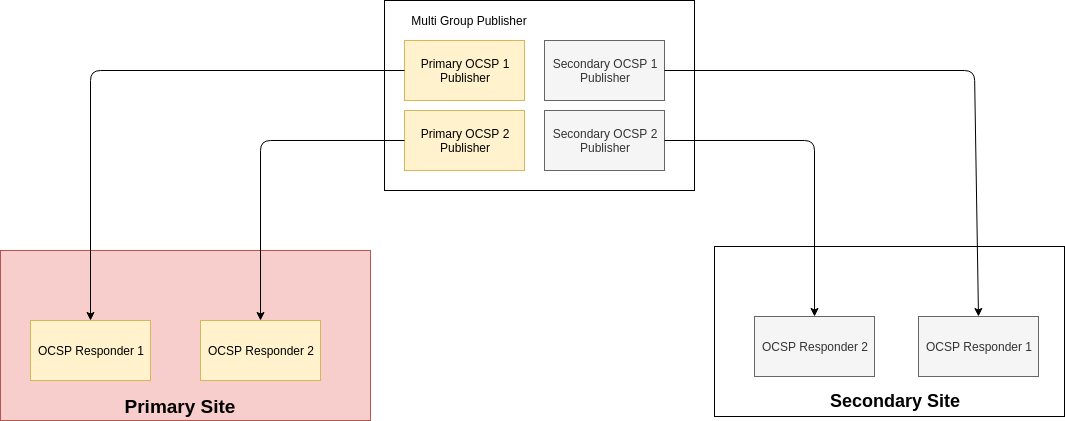
To achieve this we can create a multi-group publisher with two groups. Group 1 would consist of the two OCSP responders in the primary site, and group 2 would consist of the two OCSP responders in the secondary site. In the CA configuration, only the multi group publisher need to be selected.

Multi-group publisher configuration
Reminder you can visit the Accessing Your Environment page for details on how to connect to your Admin web portal
To illustrate how the multi group publisher works, we can use the two publishers we have created previously and put them together in a multi group publisher:
Open a browser and access your Admin Web Portal on the CA instance
Click CA Functions >> Publishers
In the Add Publisher field, enter Multi Group Publisher and click Add
In List of Publishers, select Multi Group Publisher and click Edit Publisher
In the Publisher Type drop-down list, select Multi Group Publisher
In the Publisher groups field, type the following:
Multi Group Publisher Configuration
LDAP Publisher

VA Publisher
Note the blank line in the middle. A blank line is used to create a new publisher group.
This will create a multi group publisher with two groups. Certificates and CRLs will then be published both to the LDAP Publisher and the VA Publisher when publishing to the multi group publisher.
For Use queue for CRLs deselect Use, and remove the checkmark
For Use queue for certificates deselect Use, and remove the checkmark
Using the database queue to store CRLs and certificates to be published is a good idea in general, but should be disabled for the multi group publisher. Instead the queue should be enabled for each publisher in the publisher groups.
Click Save