%20(500%20x%20162%20px)(1).png)
Custom RA Styles

The third part of this lab will rebrand the RA web interface. It is possible to change the look and feel of the RA web for specific roles by modifying the CSS files and/or using a custom logo. This means that two RA administrators from two different organizations, both can use the same system, but the user interface will be tailored for their particular organization.
In this exercise we will change the theme for the role "Training RA Administrator Role" to a Dark theme:
Slide Reference
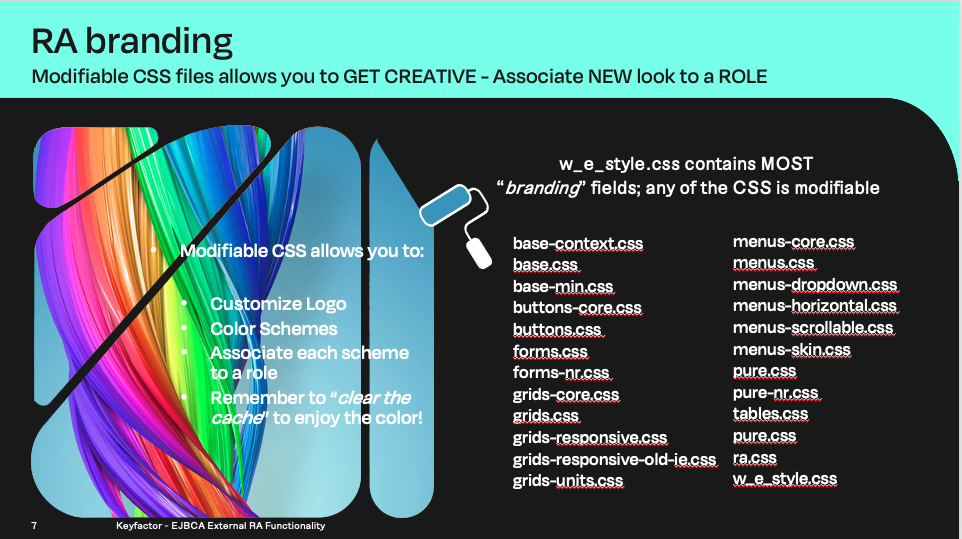
CSS files available to customize
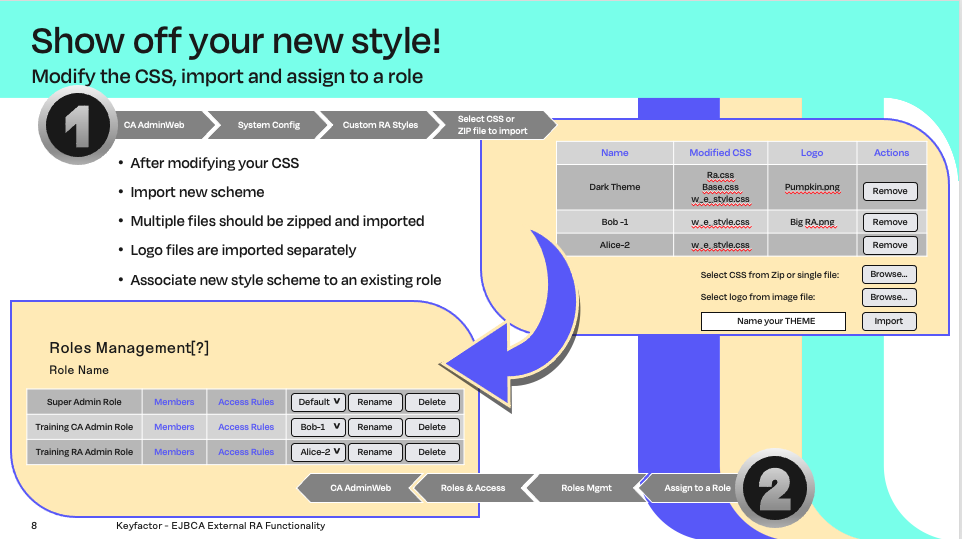
Upload the new theme and associate to a role
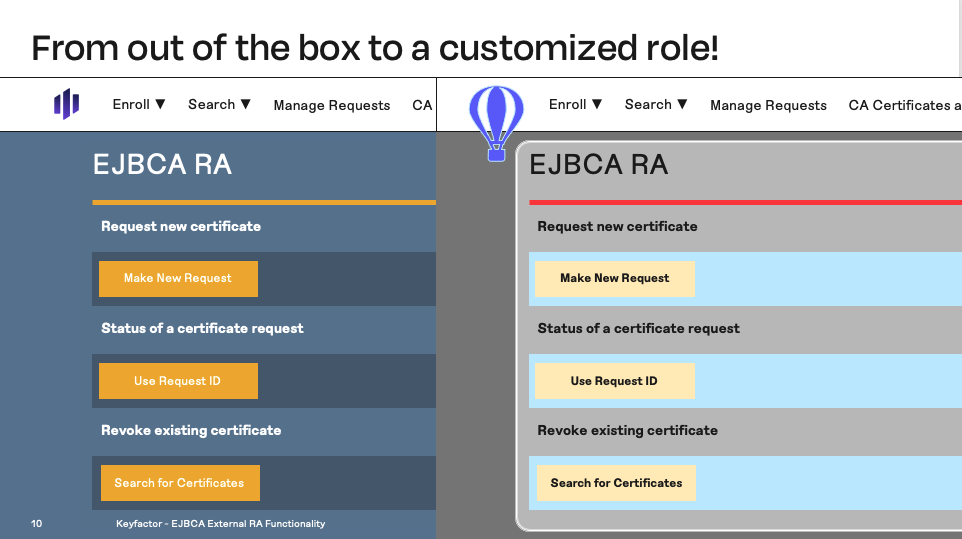
Your theme is now available, login to a role using the new theme

Reminder you can visit the Accessing Your Environment page for details on how to connect to your RA web portal
Change RA Style for Role
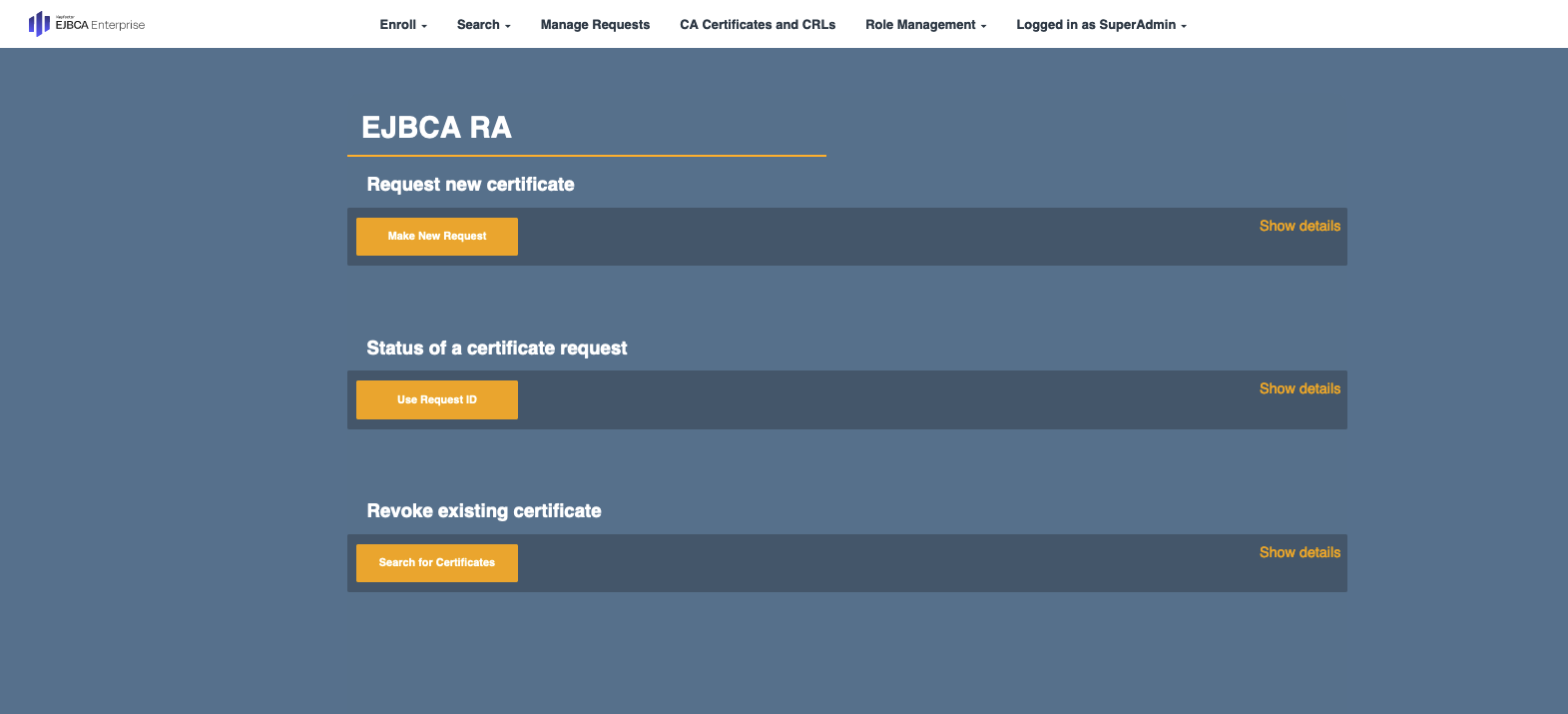
RA Web default color scheme
Open a browser and access your Admin Web Portal on the CA instance
Click on System Configuration >> System Configuration in the menu
Click on the tab Custom RA Styles
Next to Select the CSS from Zip or single file, click Browse, Path to Home >> LabFiles-RAFunctionality >> dark-ra-theme.zip, and click Select
Next to Select logo from image file, click Browse, Path to Home >> LabFiles-RAFunctionality >> logo.png, and click Select
Give the theme a Name called Dark Theme and click Import
Click on System Functions >> Roles and Access Rules in the menu
For Training RA Administrator Role, switch from Default to Dark Theme using the drop-down menu in the RA Styles column
Close the browser
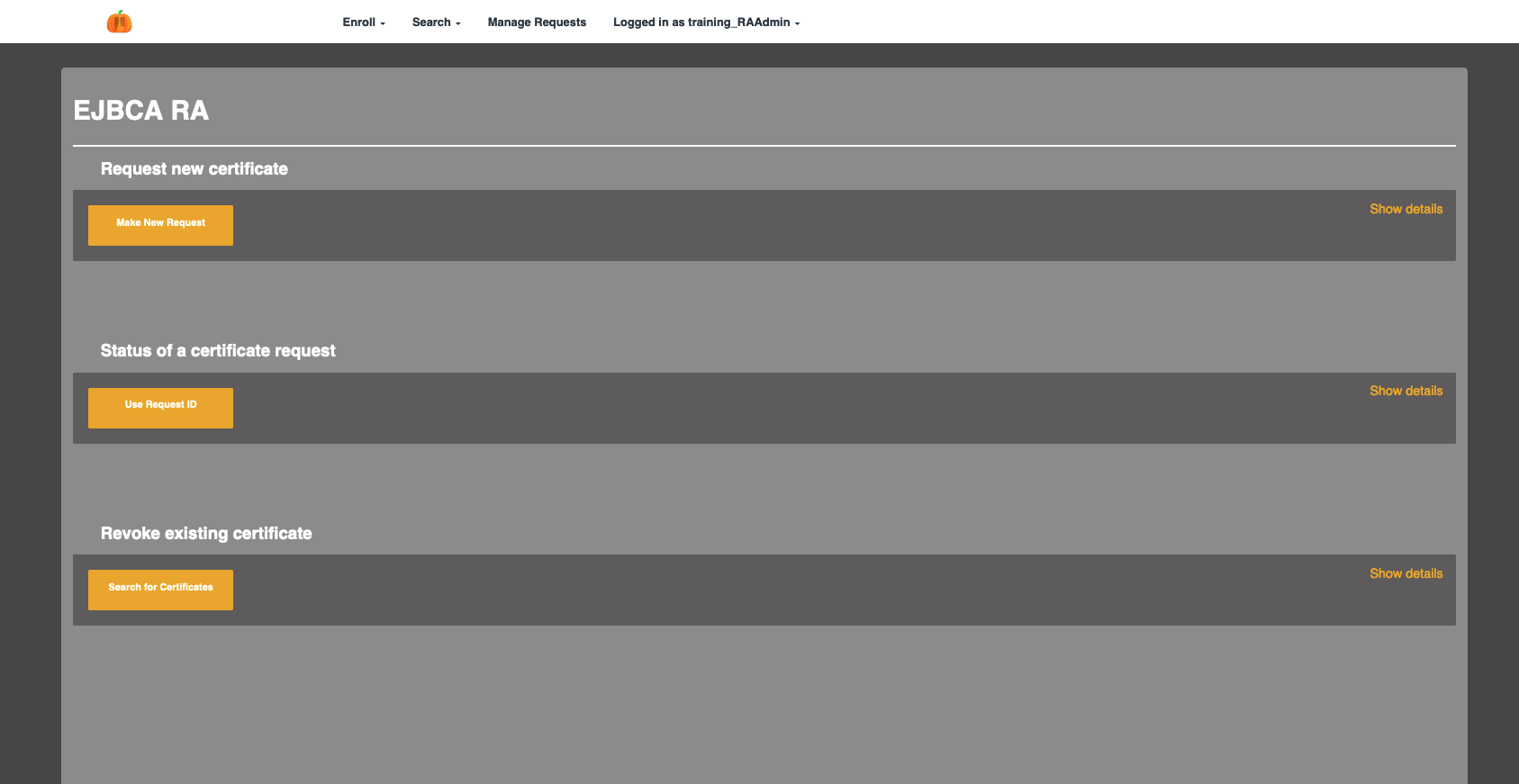
RA Web after assigning theme to a ROLE

To log in as different administrators open a NEW PRIVATE Window in Firefox, or the browser you are working with. A private window allows you to login as a different user from the main browser window. To login using a PRIVATE window in Firefox, select File >> New Private window, and select the URL below
Open a browser and access your RA Web Portal on the VA INSTANCE. Select the training_RAAdmin certificate to login as the RA Admin.
https://va.keyfactor.training/ejbca/ra
The GUI should have changed to the DARK theme assigned for the training_RAAdmin role

? Question and Answers ?