%20(500%20x%20162%20px)(1).png)
Export and Import Profiles
Introduction

EJBCA Profiles, Importing & Exporting Profiles
Slide Deck: EJBCA Profiles
Overview: This next section demonstrates how easy it is to import/export certificate and end-entity profiles within EJBCA. At the end of this lab, you will have a number of pre-configured profiles, that are ready to be used. If you had a requirement to use these profiles on another instance of EJBCA, these could be easily exported and re-imported to a test environment for example. This lab uses Admin Web to accomplish this task.
Slide Reference
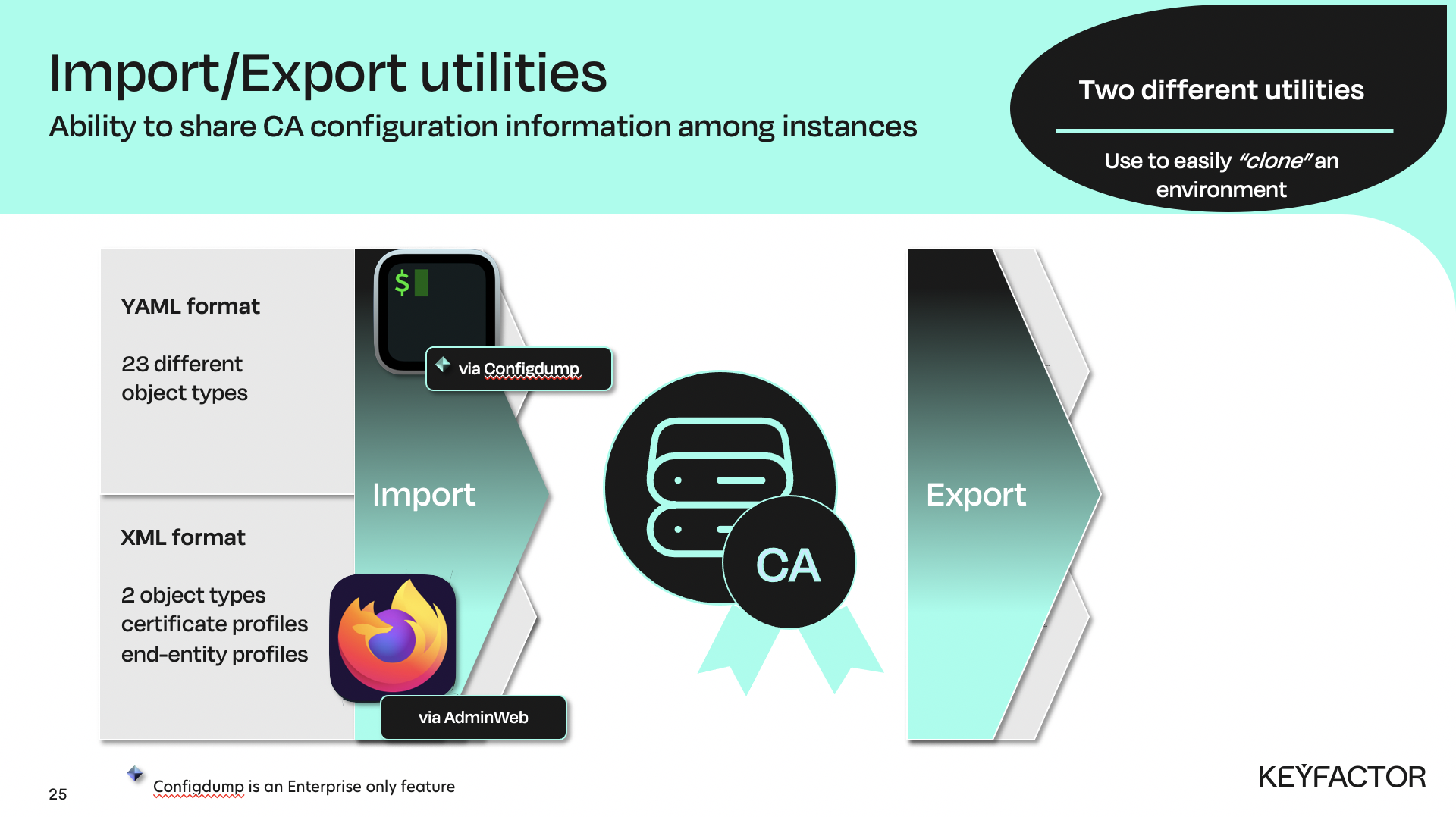
IMPORT options can be used for certificate and end-entity profiles via Admin Web, or CMD line
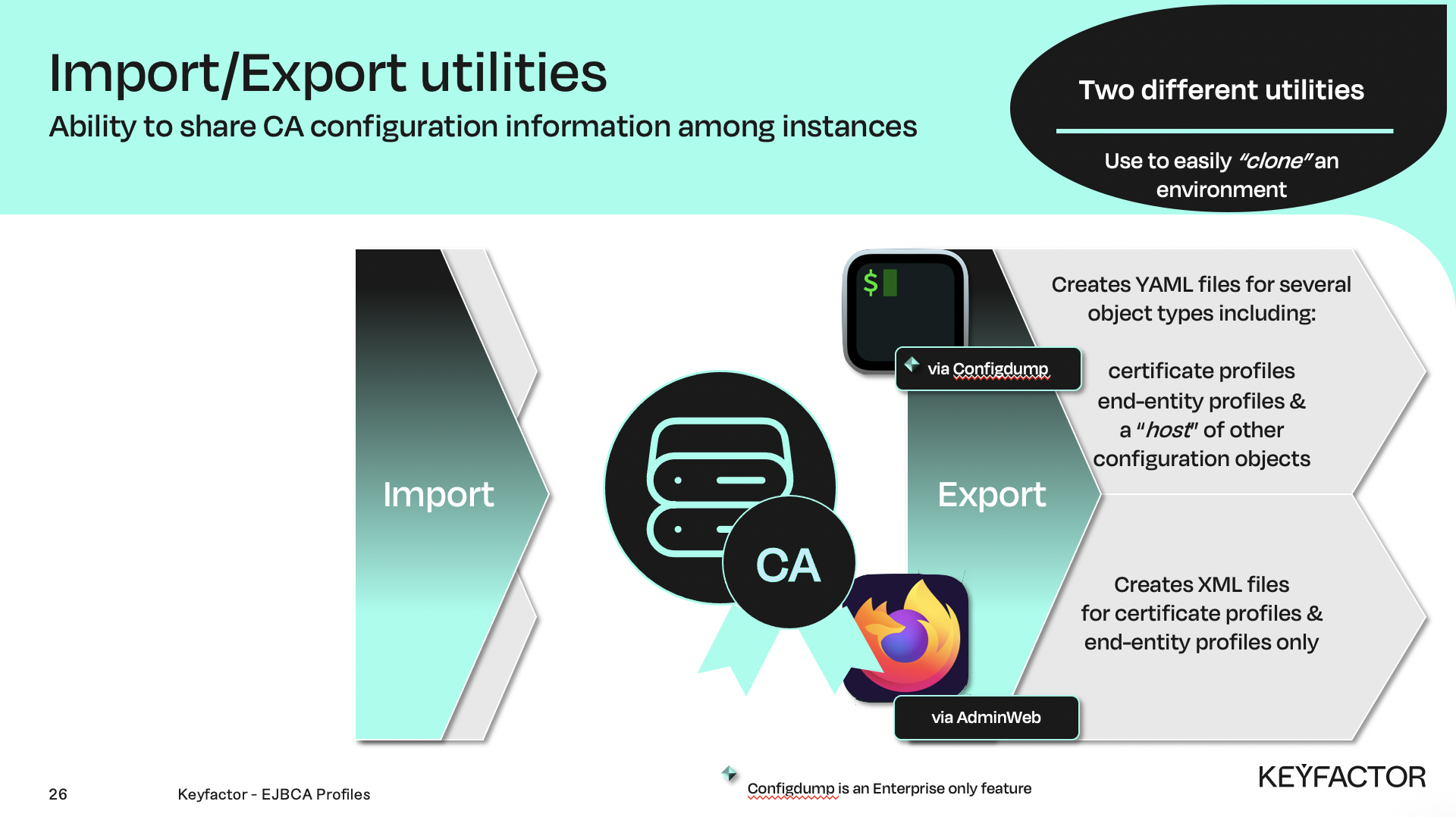
EXPORT options can be used for certificate and end-entity profiles via Admin Web, or CMD line
Reminder you can visit the Accessing Your Environment page for details on how to connect to your Admin web portal
Exporting Profiles
To export profiles:
Open a browser and access your Admin Web Portal
Click CA Functions >> Certificate Profiles
Click Export Profiles
The file will be saved in your downloads folder.
Click RA Functions >> End Entity Profiles
Click Export Profiles
The file will be saved in your downloads folder.
Importing Profiles
To import profiles:
Open a browser and access your Admin Web Portal
Click CA Functions >> Certificate Profiles
Next to Import Profiles from Zip file, click Browse
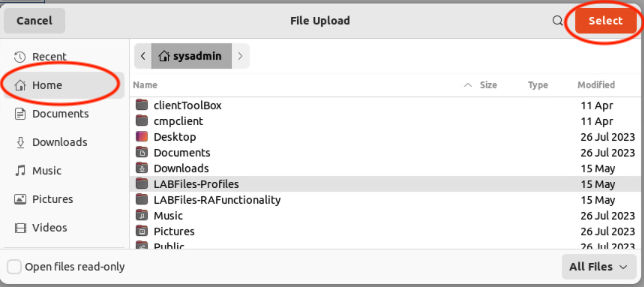
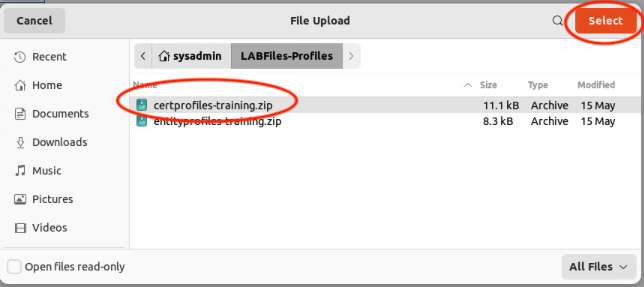
Navigate to certprofiles-training.zip by clicking on Home, select LABFiles-Profiles, click Select. Select the zip file named certprofiles-training.zip, and click Select.
 |  |
Click Import Profiles
A number of new certificate profiles will be visible in the list
Click RA Functions >> End Entity Profiles
Next to Import Profiles from Zip file, click Browse
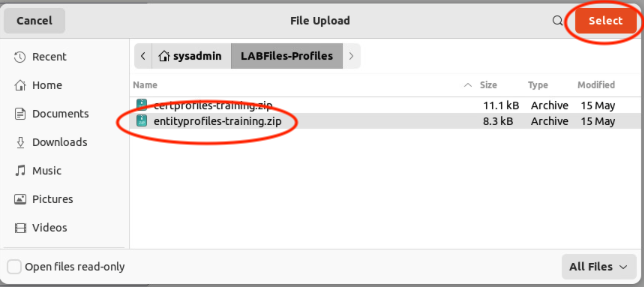
Navigate to entityprofiles-training.zip by clicking on Home, select LABFiles-Profiles, click Select. Select the zip file named entityprofiles-training.zip, and click Select.
|  |
Click Import
A number of new end-entity profiles will be visible in the list
Imported Profile Messages
You may see several messages displayed after importing. These are purely informational. The profiles should now be listed under the End Entity Profiles option.
Number of files included in entityprofiles-training.zip: 7
Imported End Entity Profiles from files:
entityprofile_AdministratorEndEntityProfile-1147859369.xml,
entityprofile_XAdESEndEntityProfile-12519975.xml,
entityprofile_CodeSigningEndEntityProfile-1400873654.xml,
entityprofile_CustomExtensionEndEntityProfile-1874452594.xml,
entityprofile_ApprovalEndEntityProfile-1560517726.xml,
entityprofile_TimeStampEndEntityProfile-1468578375.xml,
entityprofile_KeyrecoveryEndEntityProfile-1830756480.xml

Non existent CAs (with id 1) removed from End Entity Profile ApprovalEndEntityProfile.
Non existent CAs (with id 1) removed from End Entity Profile CodeSigningEndEntityProfile.
Non existent CAs (with id 1) removed from End Entity Profile TimeStampEndEntityProfile.
Non existent CAs (with id 1) removed from End Entity Profile XAdESEndEntityProfile.
Non existent CAs (with id 1) removed from End Entity Profile KeyrecoveryEndEntityProfile.
Non existent CAs (with id 1) removed from End Entity Profile AdministratorEndEntityProfile.
Non existent CAs (with id 1) removed from End Entity Profile CustomExtensionEndEntityProfile.