%20(500%20x%20162%20px)(1).png)
VA Peer Publisher
Introduction

EJBCA Publishers
Slide Deck: EJBCA Publishers
Overview: This second part of this lab configures the VA peer publisher, which will be used to "push" over the certificate & CRL data for our VA (OCSP) server.
NOTE: In the last step of this lab the data will be manually pushed to the VA instance. When the "EJBCA Services" module is discussed later, a service will be configured to "auto-magically" push this information going forward.
Slide reference
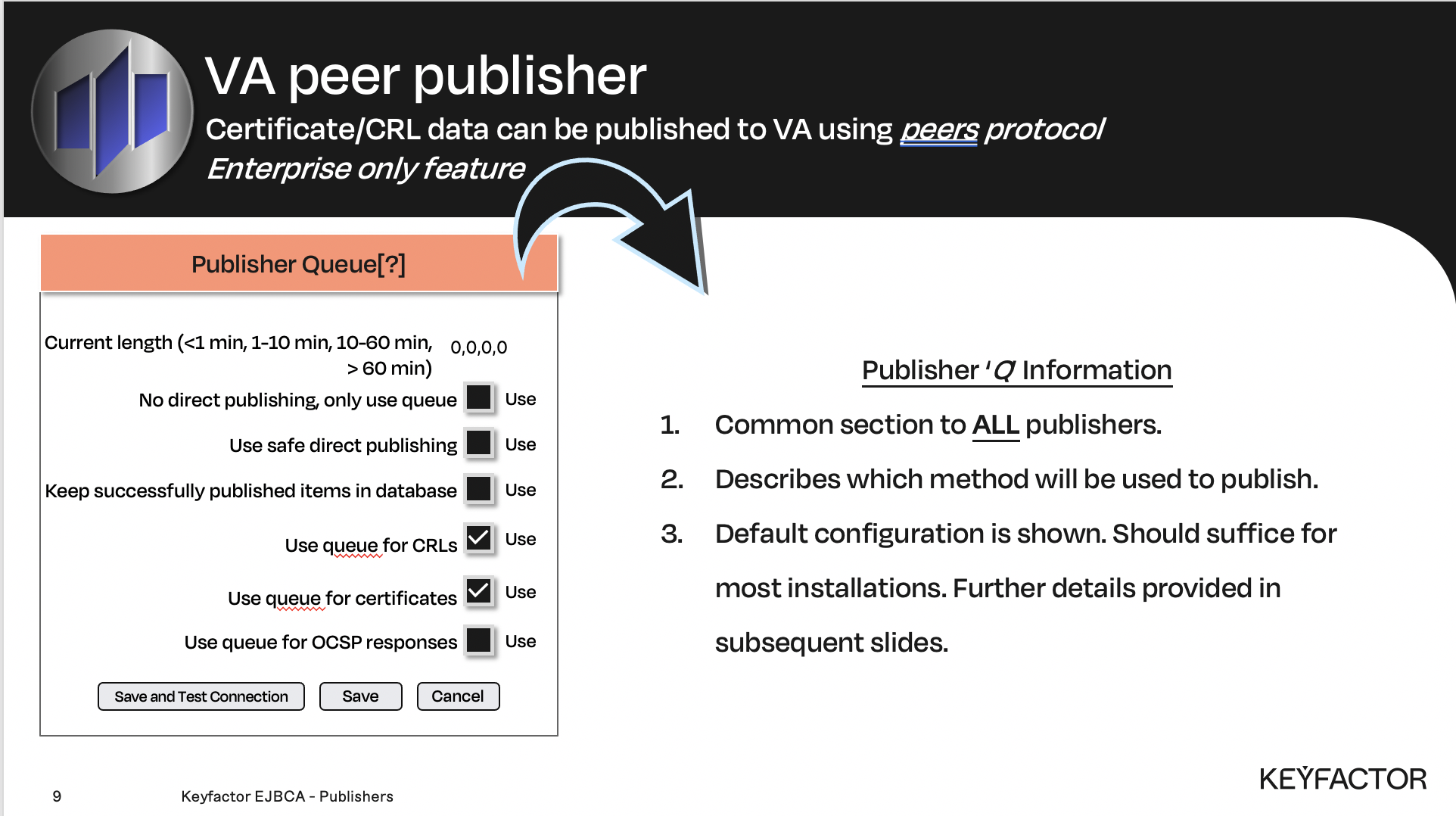
Publisher queue options - this section is common to ALL publishers
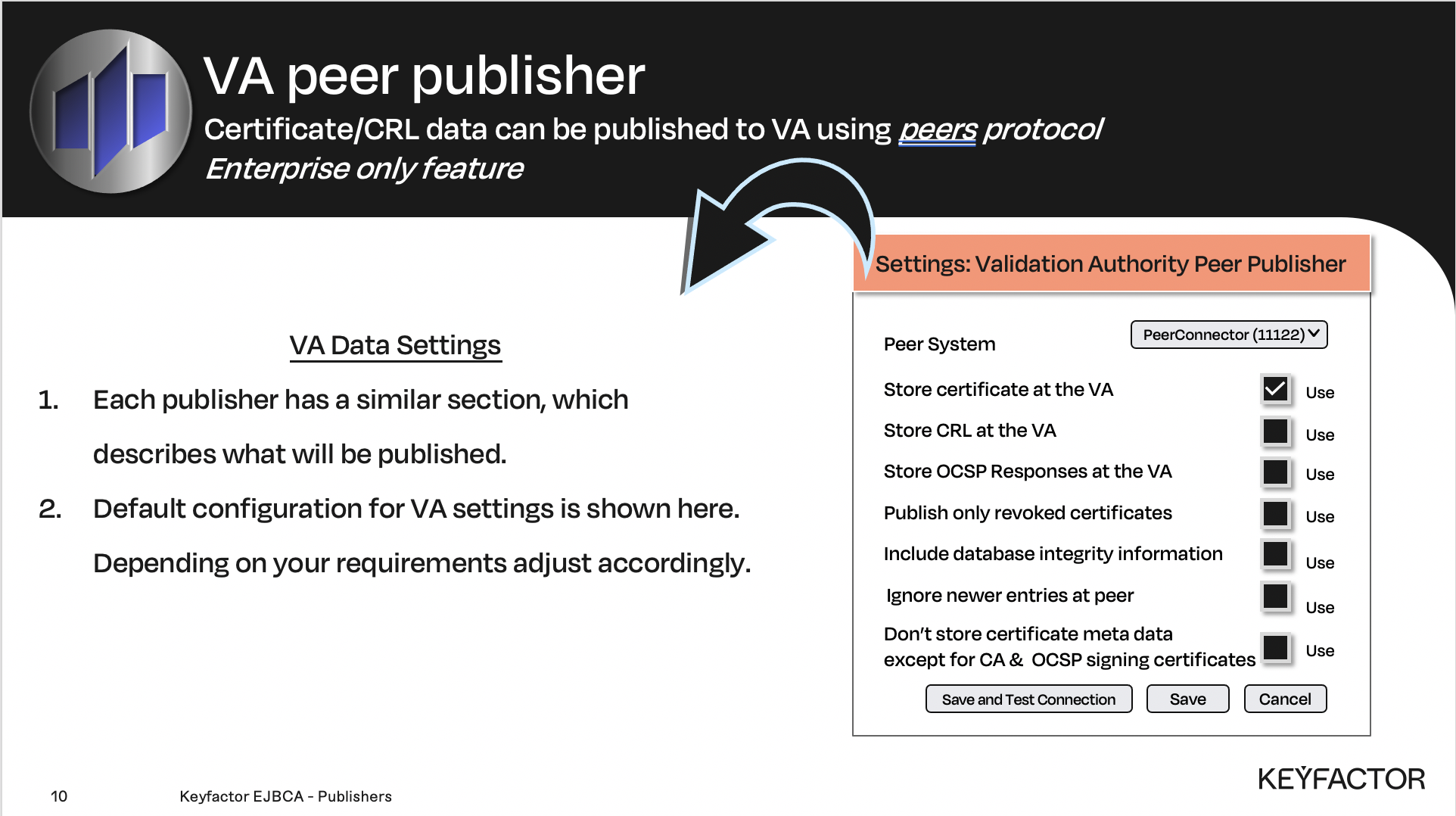
VA Peer specific publisher settings
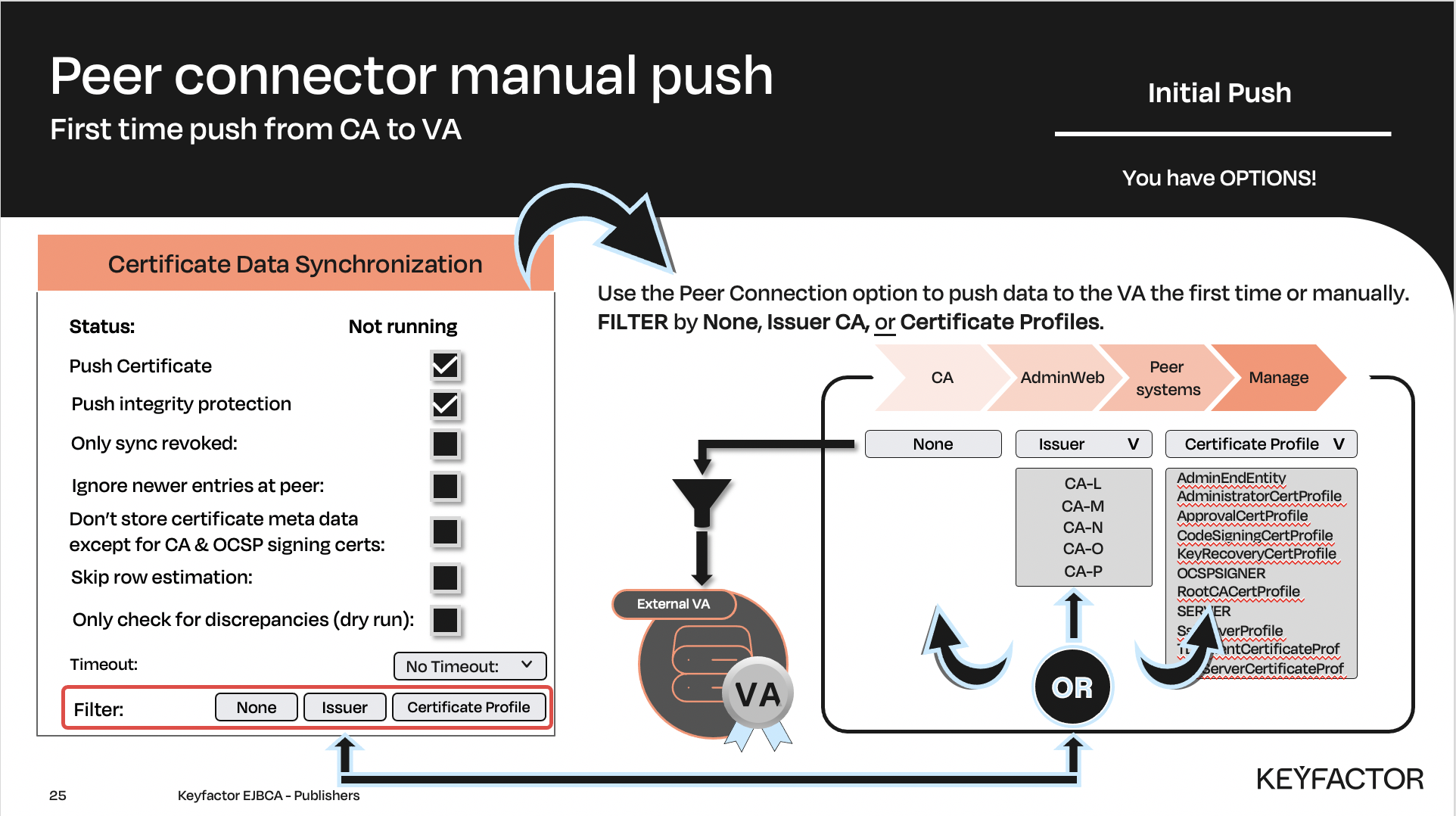
Publisher ability to manually push data to the VA

Peer Publisher configuration
Reminder you can visit the Accessing Your Environment page for details on how to connect to your Admin web portal
To add a VA Peer Publisher:
Open a browser and access your Admin Web Portal on the CA instance
Click CA Functions >> Publishers
In the Add Publisher field, enter VA Publisher and click Add
In List of Publishers, select VA Publisher and click Edit Publisher
In the Publisher Type list, select Validation Authority Peer Publisher
In the Peer System list, select PeerConnector
For the Store CRL at the Validation Authority option check the Use checkbox
Click Save and Test Connection
Publish certificate data manually
To manually publish to the VA:
Open a browser and access your Admin Web Portal on the CA instance
Click System Functions >> Peer Systems
For the PeerConnector, click Manage
Select Certificate Data Synchronization tab
Check the box for Ignore newer entries at peer
Click Start to synchronize the certificates
Click Refresh to update the page
The result should look similar to this:
NONEStatus: Finished. Added: 0. Updated: 0.Failed: 6. Progress: 15 / ~15 Duration: less than a secondClick Back to get back to the configuration view